Chasing color gamut on a budget
Chasing color gamut on a budget
First party inks and professional photo printers are out of the question. What other options do we have?
Introduction
I love printing. Actually I have a heart in regular inkjet printing more than 3D printing. I like to print big anime posters that pop in color while not looking absurd. I want to print big, but I just don’t have the space and money for a 24-inch printer, and 17-inch printers are mostly only offered as professional photo printers, which costs way too much. Since we’re not making lightboxes and won’t look at a poster too close, joining sheets work. So I have accepted that 13-inch printers are fine.
A3 offerings from Brother is too small and only has 4 inks, they are too office-oriented. And an office inkjet’s printhead really is different from a photo oriented, 1.5pL minimum droplet printhead. The image on my EPSON Workforce Pro WF-C5790 is quite grainy, though it IS very fast. The 1.5pL printers produce really nice gradients and light colors, even without the light cyan/magenta or photo cyan/magenta inks, whatever you like to call it. It might not be up to photographers’ standards, but for poster graphics, even at A4 scale up close, you really can’t tell all that much.
How it started
I wanted to get good colors from my printer for quite some time. Using genuine inks just isn’t an option. Even with inktanks, the cost of ink does still hurt, and those printers cost a lot more for the same feature/performance.
I have been seeking for color profiling services but didn’t really find anything in my area, and purchasing a profiler scanner is out of the question, it costs way too much to be justified. The method for creating profiles with an office scanner, however, seems viable.
Prism Profiler and EZcolor
I think these are the only options for doing scanner profiling. However, they are all quite out of date or end of support. Well, it’s ok if it still works and makes good profiles, right?
I have bought myself an IT8 color target from ColorRuler, and profiled with Prism on both the scanner on the office printer WF-C5790 and an EPSON Perfection V330 film flatbed scanner. Let’s just talk results, the ICC profiles from scans with C5790 was horrible. Washed out colors and wildly off colors, it’s just straight up not usable at all. V330, perhaps with its better LED light source?, produced slightly better and more natural results, but not by much.
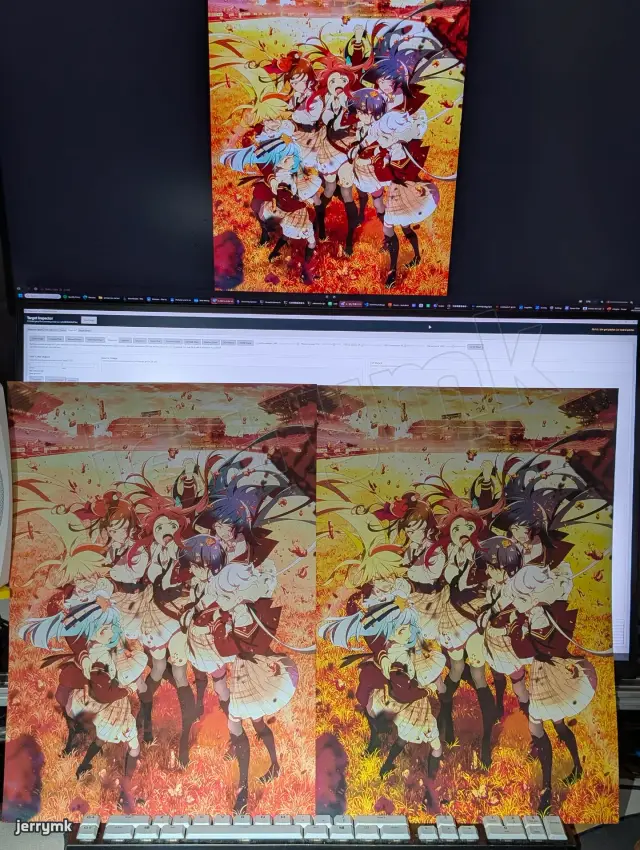
Prism Profiler provides an ICC profile editing tool, where you can match your print with the screen to fine tune the colors. Does it work? No!
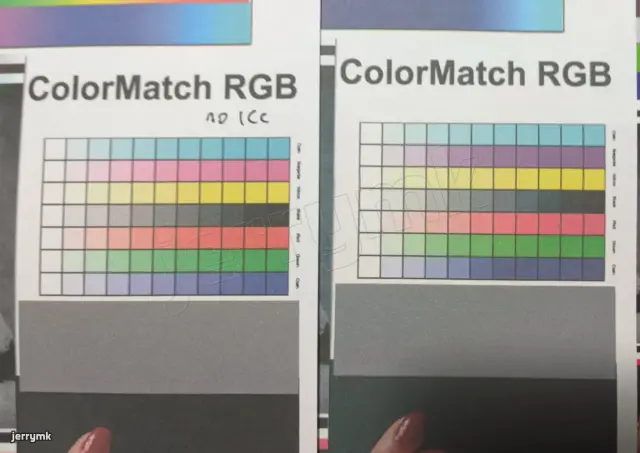

Note on the Prism Profiler’s results. I really tried to bring the faded orange back to yellow. But that just makes the yellows turn into green, which looks horrible. Trust me, I tried and tried with this software. I have tens of profiles from all the edits.
That’s insane. I even suspected if my IT8 color target was a counterfeit, or if my flatbed scanner has some bad light source or weird color response, I even tried using a camera. Turns out, the IT8 target I have matches the visualizations of the target’s lab measurement file visualization extremely well, and the print, when put under a light, looks very similar to the screen, at least much MUCH better than what Prism Profile can produce.
The custom printer calibration software
After some time, I decided I want to start printing again, and started looking into the possibility of ICC profile creation with the help of AI tools. In my understanding, specifications and knowledge for ICC files are pretty closed off and is not something you can just figure out yourself.
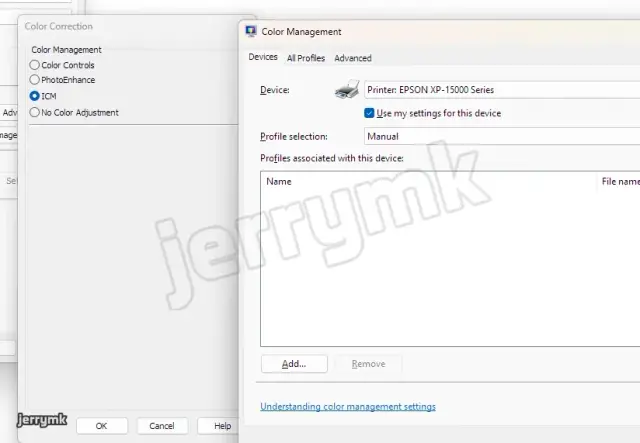
I ended up not building ICC files though, because I realized even EPSON drivers at “ICM” color mode without any ICC selected in Windows did not produce the same range of colors than with the “No Color Adjustment” option. Apparently, using “No Color Adjustment”, RGB 00FFFF cyan prints out 100% cyan (more like sky blue) ink, while with “ICM”, some adjustment are still being done, and cyan is more washed out and light to reflect the brightness of cyan on screen. So, with “No Color Adjustment”, I certainly can get better gamut, though it does not necessarily reflect the print quality.
The Victim - EPSON XP-15000
Ok, so your scanner profiling software works. Why do you feel the need to go further?
It all started when I discovered that writing a RIP (Raster Image Processor) isn’t all that hard. EPSON has its ESC/P (Epson Standard Code for Printers) language since the dot matrix printer days. And it still works with color inkjets! It allows for paper feed and nozzle control, like… actual nozzle control. You decide the dot size for each nozzle (different nozzles for different inks) at every location. That means you can control the ink channels independently! Imagine how much more control you can do to the print when you can decide precisely how much ink to use for each target color. You can now taylor the curves for transition from magenta to red to yellow to fit the particular magenta and red ink you have, and potentially get a better gamut out of it!
3rd party inks
This printer is popular because it is a hackable 13-inch 6 color non-ecotank printer. Non-ecotank with tiny cartridges mean the printer is very affordable, for a 13-inch 6 color printer. A similar spec 180*6 nozzle 13-inch all-dye ecotank printer L18050 costs nearly double.
The cartridges on this printer is tiny, and there’s no way I print large posters and stuff with it. Luckily, my printer is sold at less-than-half price used and pre-modded for CISS (continuous ink supply system). Sad story, I flooded the printer the SAME DAY I got it when swapping out the inks, and fried the mainboard. I bought another one after waiting several months. That was very very unfortunate. Wish I’ve known better.
XP-15000 has a printhead that is a bit different from the older printers. It has an exposed mesh as ink intake, instead of a pin that goes into a damper with self-closing valves. These now require precise pressure control or foam to keep the ink from spilling out when you remove the ink cartridge/damper, which is extremely annoying. You can only take the damper out if you close off the tubes and stop the ink from flowing. The seal also relies on the cartridge chip reader/latch assembly, and the plastic the screws go into are extremely easy to strip. If that is not secured properly and the dampers/ink cartridge come loose just a bit, ink will flood all over your printer, get to the FFC (flat flex cable), the motherboard fries, and you can throw the printer in the trash without hesitation. No longer can you just pop out the damper, take a syringe to fill up the damper, then click it back in. The same system is used on the XP600 printhead and the new L8050/L18050 13-inch 6 color dye printers, and maybe more. So yeah, that happened to me because I was dumb and didn’t know.
Oh right, the inks. I don’t know how good the OEM dye inks are nowadays, but I know that ALL Chinese 3rd party dye inks are just garbage. Not only are the colors not quite right, they fade like crazy. Even in indoor lighting, my posters faded considerably for only a few months.
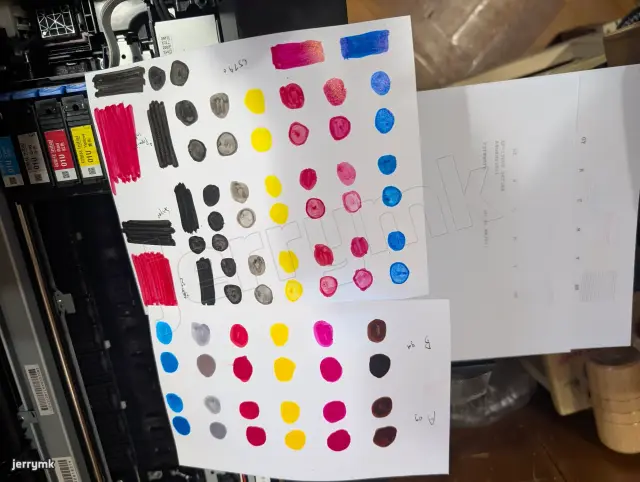
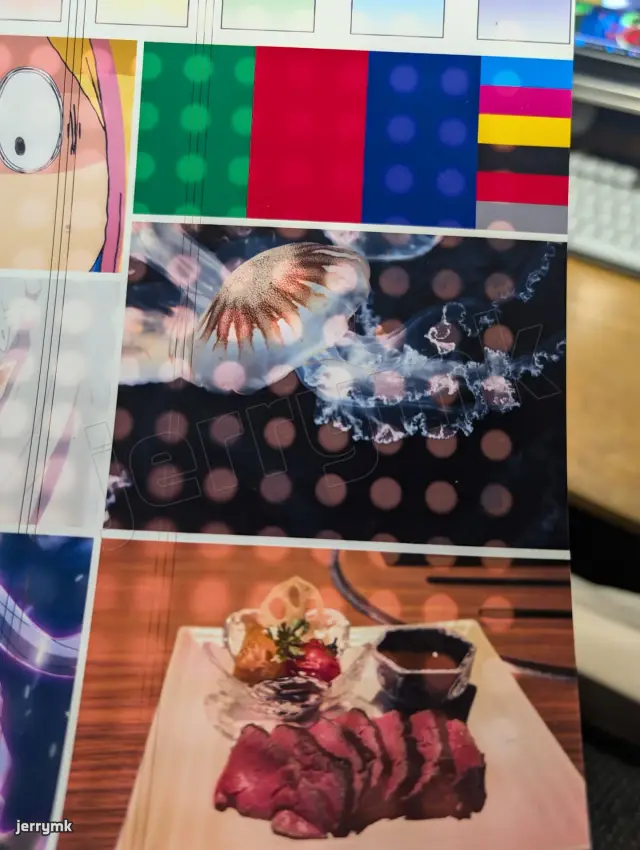
OEM dye inks are still too expensive (maybe the OEM inks from Canon’s PIXMA G670 line of MegaTank printers will work pretty well. It is also a CMYK+R+Gy printer, so it should be a drop-in for XP15000, but I never tried). What are the options? I already know ALL Chinese dye inks are not lightfast enough for my liking. A brand that seems to genuinely be pretty proud of their products show that theirs perform miles better than other 3rd party brands, and was better in some areas, worse in some areas compared to an OEM ink. I believe that result, but it also still faded quite badly, because that’s just how dye inks are without applying a laminate. So yeah, dye inks are out, despite its wider color gamut. I just hate the idea that the print will just slowly fade and look bad.
So pigment inks it is. I’m sure there are 3rd party Epson pigment inks that work well, right? No. not at all. I’ve tried 4 or 5 brands for 2 printers. They are all super generic and the colors just look wrong. Oh and these inks come in 500mL bottles too, and they still cost good money, so I still spent several hundred USD eqv. on inks I hate.
That is until I discovered a brand that seems to put more effort into actually making good 3rd party ink. The inks come in sealed aluminum pouches and cardboard boxes instead of generic plastic bottles. The inks they sell were mostly all intended for 12 color large format art printers. The same store also sells brand-name art papers and NOT generic office supplies, CISS systems, and cleaning kits, that really sparks confidence that the ink is actually of okay quality.
Rest assured, it is amazing. I’ve never seen magenta inks that magenta. And it’s not even that much more expensive than the crappy inks! Wish I’ve known earlier…
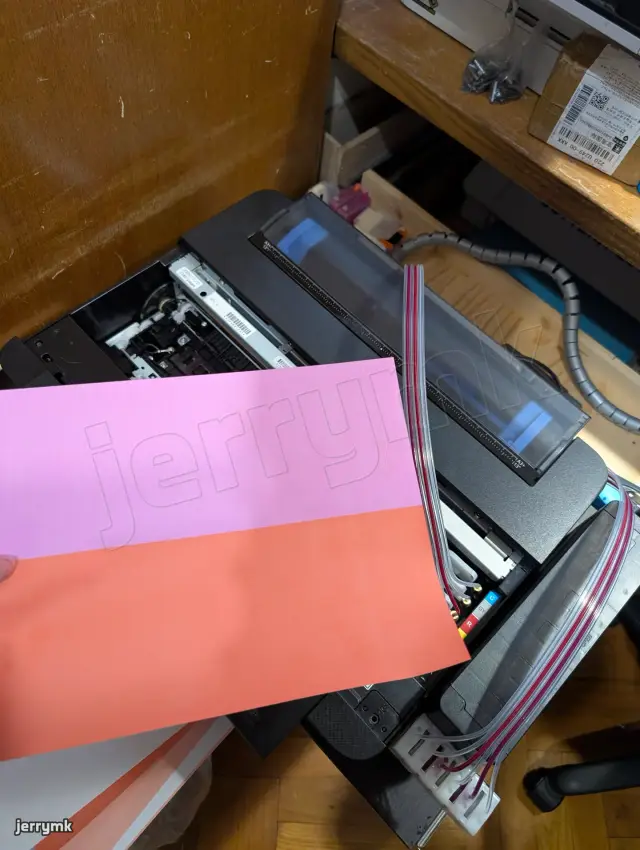
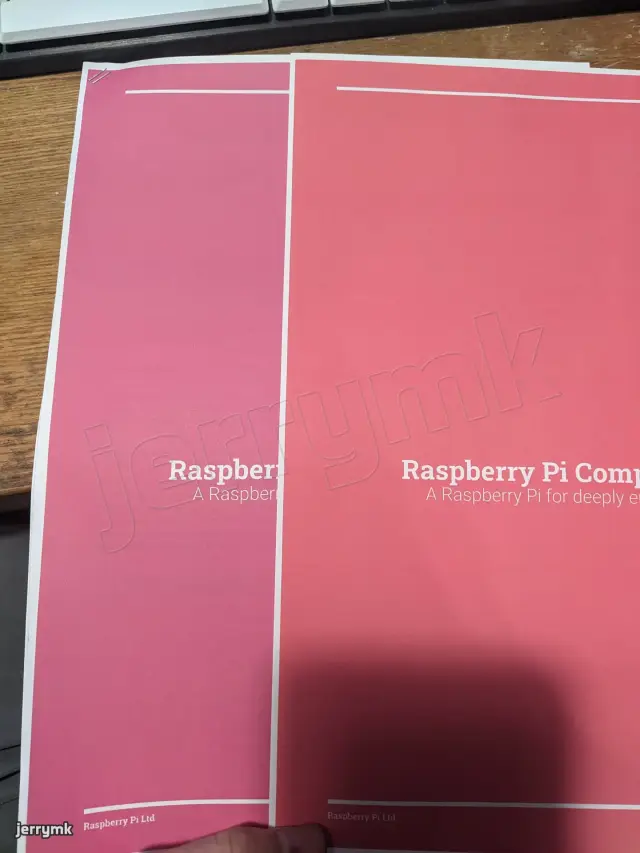
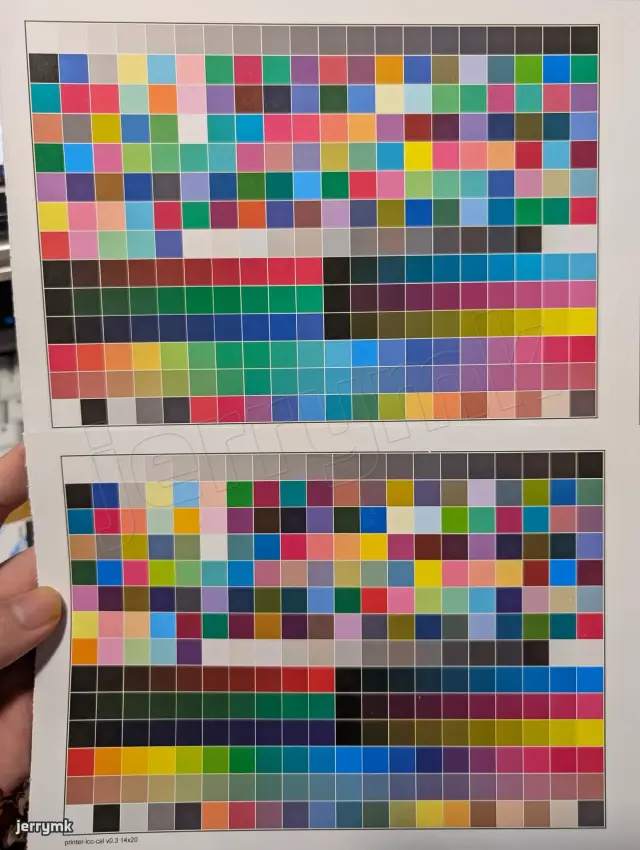
The first CMYK ink I got had magenta that was so red (see picture 3 and 4), it produced terrible colors. The blacks were also so watery and not concentrated, at least it did not clog…
Therefore, I turned to Taobao again for a nicer set of inks. I found a seller that seems to be a bit more serious in printer and modding business (as supposed to “office supplies business”), and after some reassurance from the seller, I got it. It is not perfect, but at the time, I genuinely thought it was a lot better. It looked much more similar to EPSON genuine inks, so I used it happily, except the black clogged like crazy, so I switched black to a generic pouch style 3rd party cartridge. So that’s the “good 3rd party EPSON magenta”. Oh, I did get a chance to use some leftover OEM inks for the WF-C5790, and man are OEM inks something else. The density, fullness, saturation is just something else. Their inks are much more viscous, but it just does not clog! It’s still something Chinese manufacturers can not replicate.
For the XP-15000 with its 6 colors, I had to find another ink set, and I tried 3 sets of pigment inks, shown previously. None of them were good, one reason is that Lc/Lm (light cyan/magenta or photo cyan/magenta) are the more common extra inks for a 6 color printer. Grey and red are not the mainstream, so there were only a few crappy stuff.
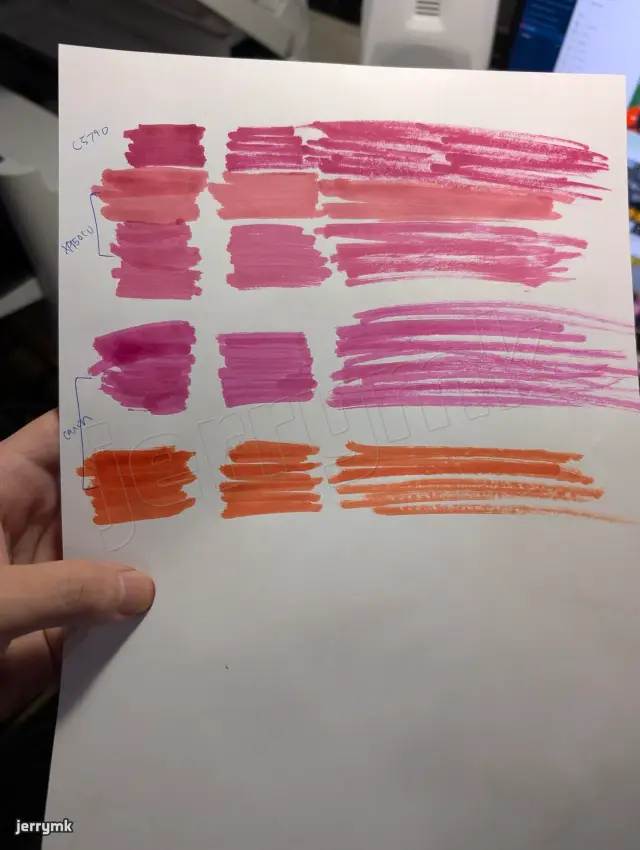
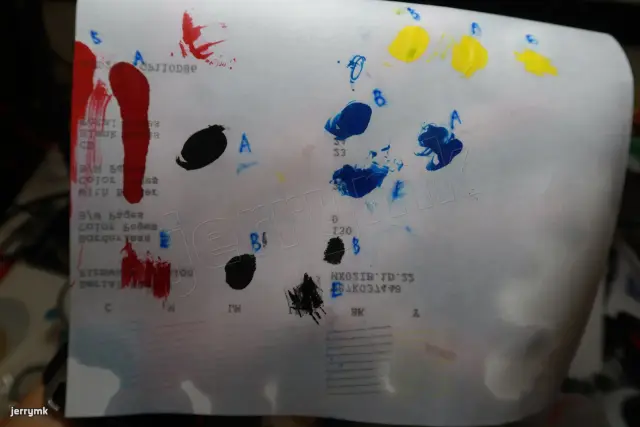
First image:
- The top row is the magenta ink from the best 3rd party EPSON regular CMYK ink set ink I found. At the time, I genuinely thought it looked truly amazing.
- The second and third are the RED and MAGENTA inks from the best set of the 3 XP-15000 inks I bought. Yeah, unsaturated, washed out, and red and magenta are so close to each other! What the heck?
- Magenta and red Canon 3rd party inks from the nice store. Look at the magenta! It’s actually magenta! None of that gross purplish red. I’m sure this magenta paired with cyan can give much nicer purples. The red is a nice orangy red, to extend gamut for both red and oranges.
Unfortunately, they only sell Canon pigment inks at the colors I want. It’s probably fine though, as EPSON uses piezoelectric printheads, which print like anything, from super watery dye inks to viscous DTF or UV inks. It’s not like Canon’s thermal heads that require bubbling for the ink to dispense and or not burn out the head.
The store also sells EPSON inks, but special colors only come with orange and green, without any blues or violets, which is my main concern. Canon comes with red, green and blue, but red actually tends towards orange, and blue tends towards indigo, so it is mostly doing a similar thing EPSON is doing. If I had the choice, I’d pick EPSON’s orange + violet combo though. Greens just don’t appear that much for the prints I make (anime images I guess), and a good yellow + cyan ink can get pretty good greens already.
Red usually can afford being slightly duller, but there is no substitute for a bright punchy orange. But I think this orangy red paired with a more saturated yellow can do a fairly good job.
Same with violet, a light and saturated purple just is not doable with most magenta and cyan inks. But… if Canon Pro printers don’t use violet, I’m sure it’s fine. The magenta much closer to purple than any other magenta inks I’ve seen, plus the “blue” but not quite RGB blue but more like an indigo color should give huge improvements to purples than I am currently getting.
I have purchased the rest of the Canon inks, and will be trying it out when they arrive. I’ve ordered magenta and red to check if it is any good before I blow 100 USD eqv. on it (for 500mL each), and yes, yes it is.
I’m sure if I saw OEM inks for these professional photo printers like the SC-P900, I’ll be even more impressed by the saturation and gamut, but I mean, I can get 100mL of SC-P900 ink or 3 liters of 3rd party inks. I don’t think I can accept blowing like 3 USD on one single A3+ print. I would like to print and experiment without pressure, and OEM inks just does not make sense. Therefore, Keith Cooper of Northlight Images, whose work and contributions I enjoy and respect a lot, recommends the EPSON ET-8550 as the best printer for starting out the printing hobby. That printer, however, it not available in my area, and also costs too much for me. The only option for photo ecotank is the L18050, which I don’t think is exactly what I want. I really want a pigment printer, even if OEM dye inks don’t fade that badly, they still absolutely do, and they are not water resistant.
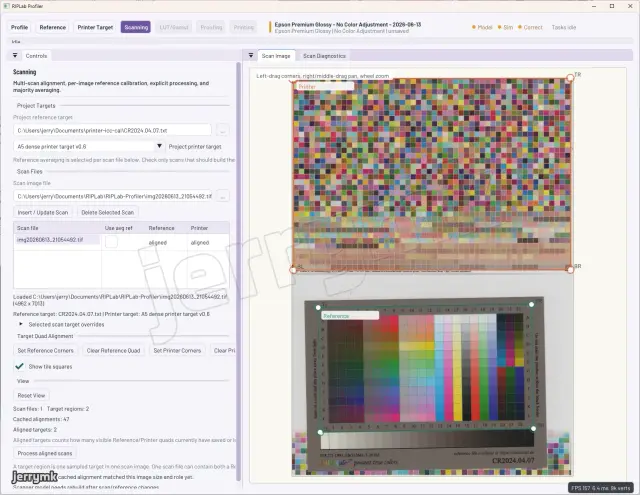
RIPLab - my RIP/profiling/printing tool
Wait, CMYK red, and blue? How does that work? This printer takes red and grey as its extra inks, you can’t just swap grey with blue…
Well, yes, I can, by writing my own RIP and profile the inks.
Are there RIPs that allow you to swap out ink colors to get more gamut? Certainly for digital presses or large format printers. Not really for small consumer inkjet printers.
I think there were photographers that switched out 4 or 6 color inkjet printers for all greyscale ink sets for the ultimate black and white photography printing. Though that is when the top-of-the-line desktop photo printer only having 6 or 8 inks. Now that photographers just buy EPSON P700/900 or Canon Pro 200/300/1000 series printers, which have 10 or 12 inks, there is no longer a market for a RIP for desktop inkjets with the emphasis in image quality in any way.
The RIP softwares for desktop printers now are mostly exclusively commercialized for the DTF (direct to film, for apparel printing) businesses. PrintFab exposes halftoning for doing exposure films I think, but does not allow ink swapping, ink profiling, etc. as far as I am aware of. You can only select inks to be used for multicolor black in halftone printing, or DTF printing with white channels. I didn’t try other RIP softwares, but I’m sure they only do basic ink amount and white ink channel controls.
So yeah, the path is clear, write my own RIP software, swap out the inks for a wider gamut, write another profiling software to profile the inks with an IT8 target and a scanner, and get better prints than I can ever do on the printer without spending a fortune on genuine inks.
- I MUST write my own RIP software because no one else is doing it for actual print quality anymore.
- I MUST write my own profiling software because no software ticks all of the following checkboxes:
- Works with a scanner and an IT8 target, no fancy spectrophotometers, because who can afford one of those? (I may or may not be working on a multi-channel spectral photo sensor color sensor for profiling…)
- Works in “printer ink space”, handles direct profiling on all the inks, not a converted RGB space. It’s the profiler that should come up with the “RGB to inks” conversion. Guessing is not good enough because that will certainly leave performance of the ink on the table.
It might work when you just have CMY color inks, the convertion to RGB is fairly straightforward, but for example, how do I know how to render a dark magenta? Should I add black or cyan+yellow? Questions like this can not be answered without actually profiling in ink space. The problem is worse when you have more color inks. Maybe due to the darkness of the blue ink, a light purple is better rendered with cyan and magenta, skipping the blue, right? - Integrates with my RIP printing software. Or at least output PostScript test target files that has information for all 6 inks.
- I MUST switch out the inks,
- 3rd party because I can’t afford OEM inks (at least it makes me feel a lot better when experimenting, failing, and just printing in general),
- 3rd party Canon inks because generic Chinese EPSON ones all suck,
- Canon red (orangy) and Canon blue (indigo-y) instead of the original pure red and grey because I want punchy reds, oranges, blues and purples. Greens less so.
- No more greys because I think gamut is more important up far. The “photo” printhead on the XP-15000 can do
1.5pLminimum droplet size, and I can hardly see the dots in all normal viewing conditions, let alone for poster applications. Not the case for the WF-C5790’s3.8pLprinthead.
So, light cyan, magenta, and grey inks are not really needed. Using the extra ink channels on expanding the limited gamut of (especially 3rd party) pigment inks is much more valuable in my opinion.
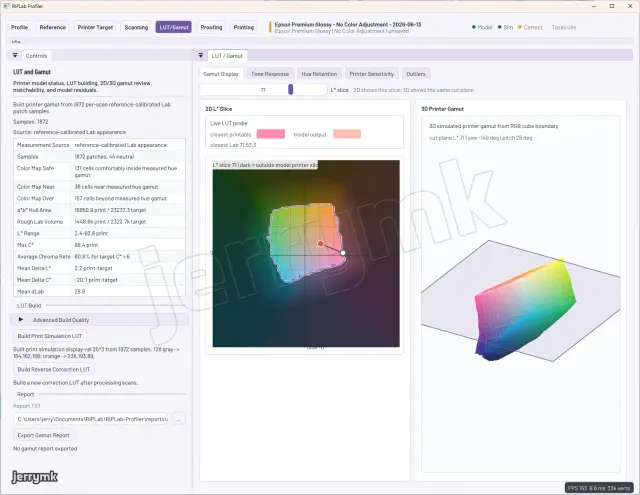
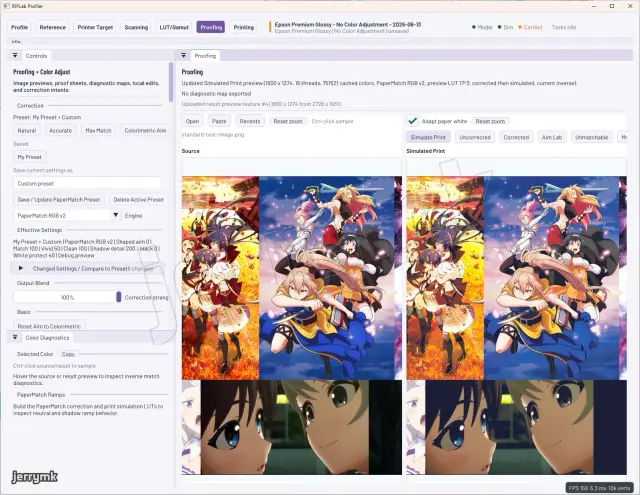
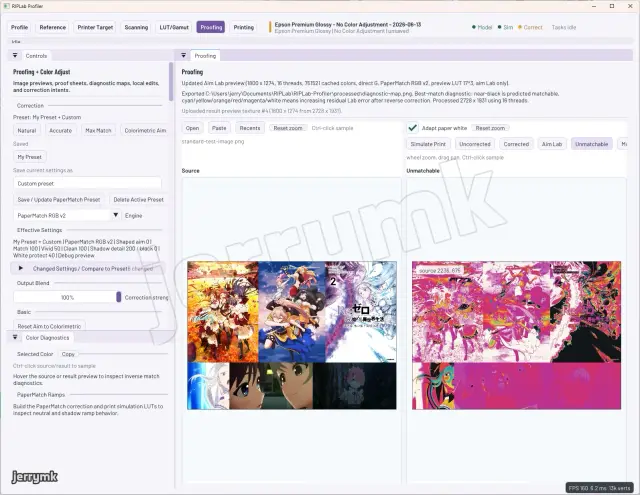
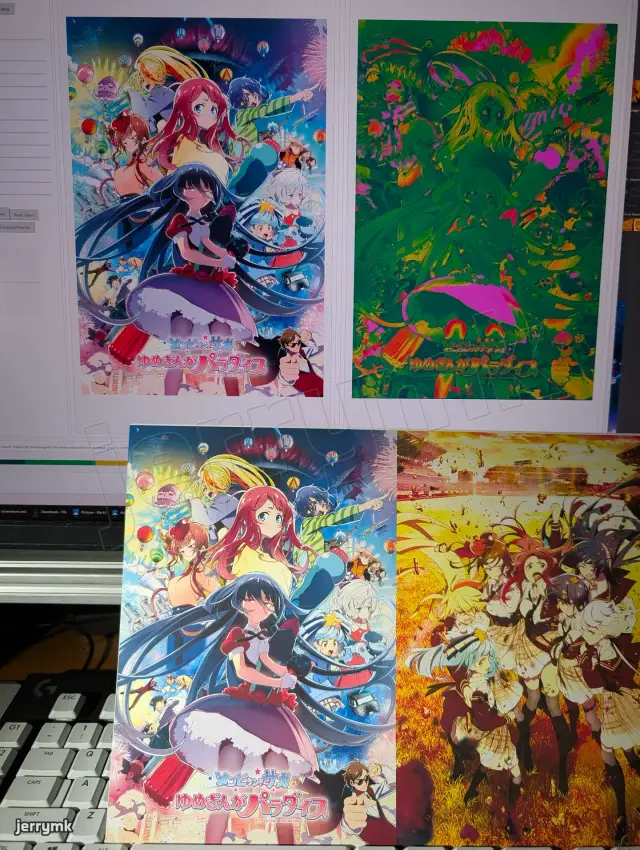
==To summarize, to chase color gamut on a budget, using good quality 3rd party and swapping inks to the gamut-expanding colors, then write a RIP and profiling software to utilize the inks is what I am going to do.==
<written on June 25, 2026, awaiting the arrival of the rest of the 3rd party Canon inks>
留言